Canva — AI Permissions
Permissions, AI, Content design
After Canva Create, enterprise companies and school systems asked for Magic to be switched off, while the team that had just launched it did not want the product to talk anyone out of using it. I co-owned the work to give administrators that control without undermining the feature.
- Role
- Project owner, admin controls
- Team
- Admin Experience, Content Design
- Timeline
- 2023–2024
- Platform
- Web
8,300+
teams enabled them by June 2024
~1.3M
students in early-asking districts
The problem
Two reasonable asks pulling in opposite directions
Magic launched at Canva Create in 2023, a family of AI tools in the editor. Within weeks, the customers Canva most wanted to keep were asking how to turn them off.
The customers' side
"Not here, not yet."
- Organisations: no generative tools until legal and security sign off.
- Schools: no students in them at all.
- For enterprise buyers, "can we turn it off?" comes first.
The product's side
"Do not dissuade people from Magic."
- A refusal written as a warning talks customers out of the feature.
- Alarming copy would undo the launch for every team that read it.
An administrator who cannot refuse a feature does not trust the product, and some already had.
- 11
Districts had asked for Magic Write to be switched off by hand
- 1.3M
Students across those districts
The launch team's worry was just as reasonable, so every explanation had to reach admins early without putting everyone else off.
The balance
Where we explain a control decides who hears it, and how early
Who we reach
When they learn
My role
The control, and the sentence under it
I was a project owner with two co-workers, and later iterated the organisation-level controls for Enterprise accounts of 100 or more paid seats. Other teams owned the models, the editor and the launch. Ours was the admin's surface: the Permissions page, the confirmation, and the moment a member finds a tool turned off. I worked with content design on every line.
The process
Put both arguments on the same canvas
We put "do not dissuade people from Magic" and "not here, not yet" side by side, and every option had to answer both.
Words were the design
The compromise was to explain enough that turning a tool off makes sense, and stop before it becomes a campaign against the feature. "Turn off" beat "Disable" in the first content critique, and "Restrict" tested better than "Block", because the losing words sound like punishments.
Sounds like a punishment
Disable, Block
Words that judge the feature.
Describes the choice
Turn off, Restrict
Words that say what changes.
Rejecting the silent switch
We rejected a silent off-switch, where the tool disappears and nobody is told. It felt punitive, and every member looking for a missing tool would have become a support ticket.
Iterating the page
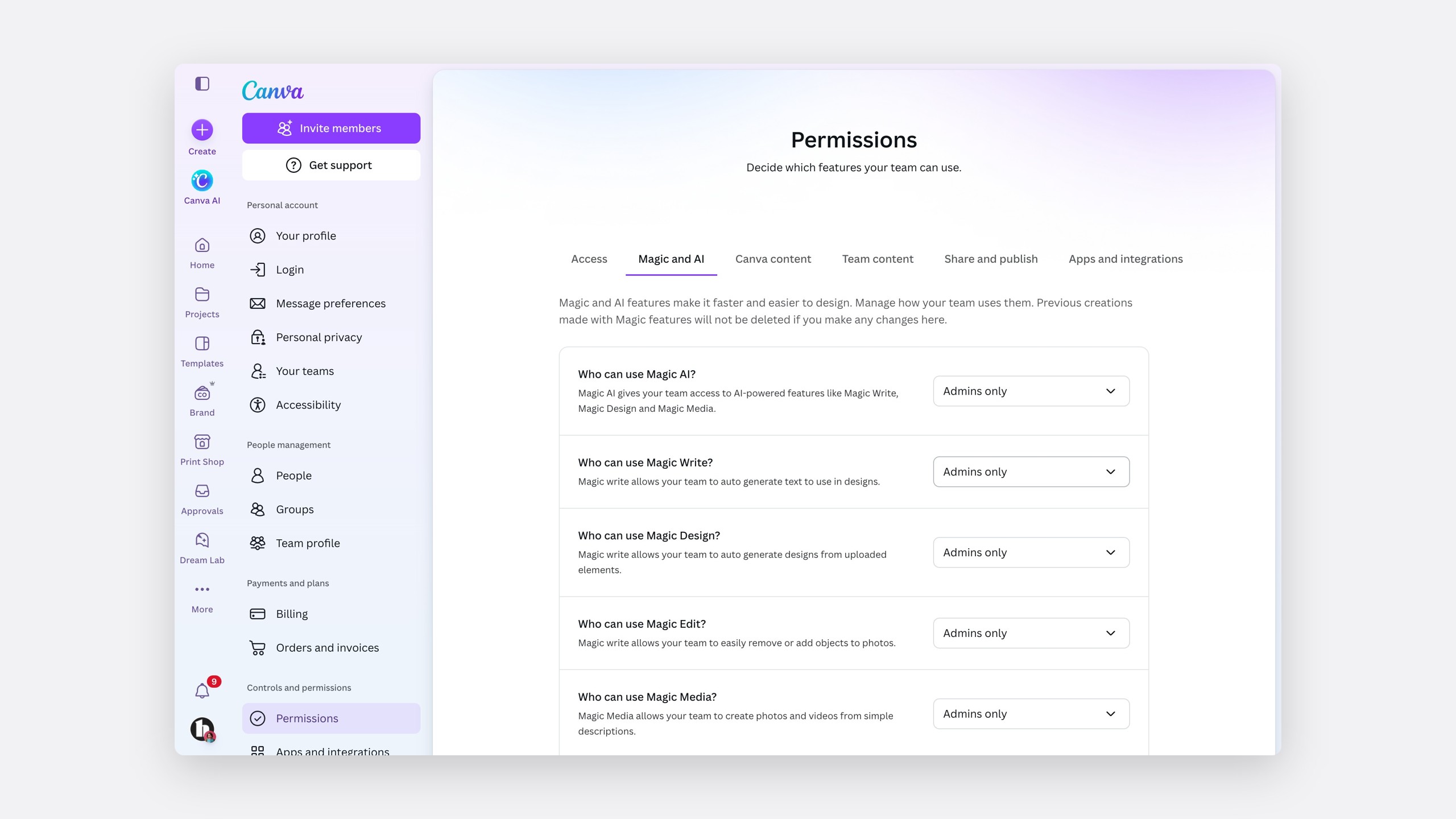
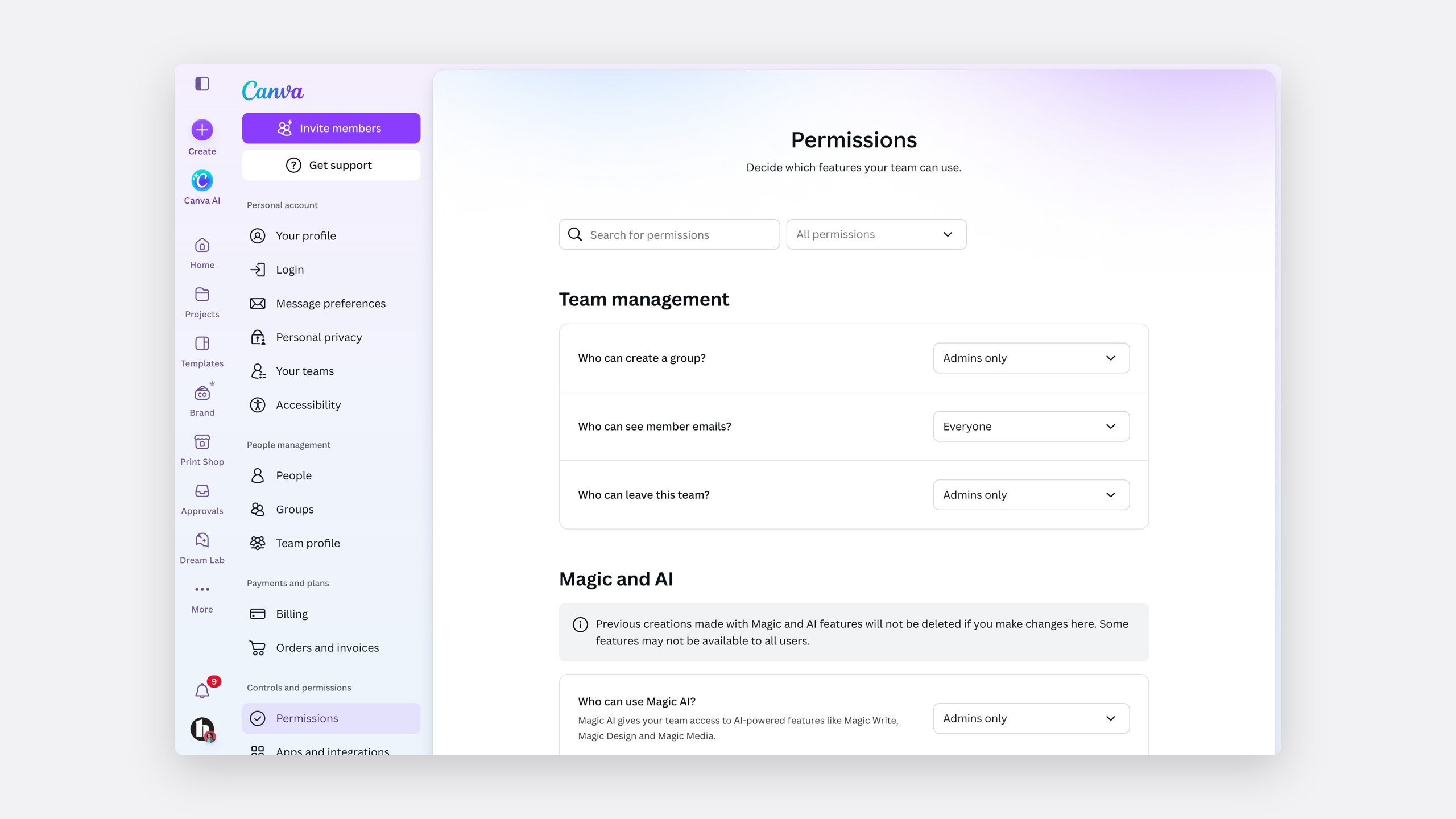
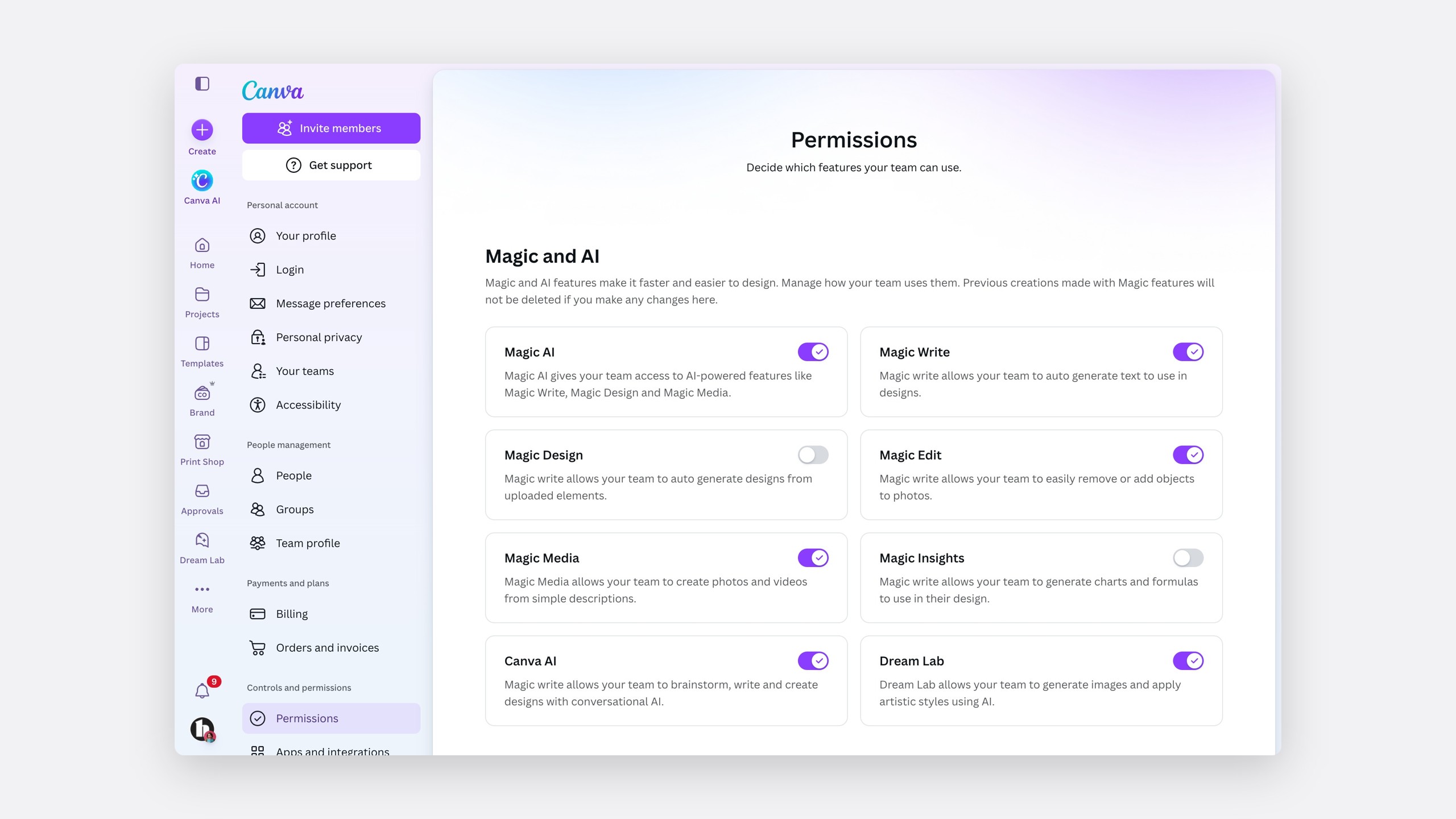
We took the Permissions page through more than twenty options, from on and off toggles to a choice of who can use each tool.
The solution
Describe, then decide
Four ideas let an admin choose confidently, while Magic still sounds worth having.
Describe every tool
A factual line first.
Offer a set of choices
Who can use it, not whether it exists.
Confirm the consequence
Who loses access, and what stays.
Tell the member
What changed, and who to ask.
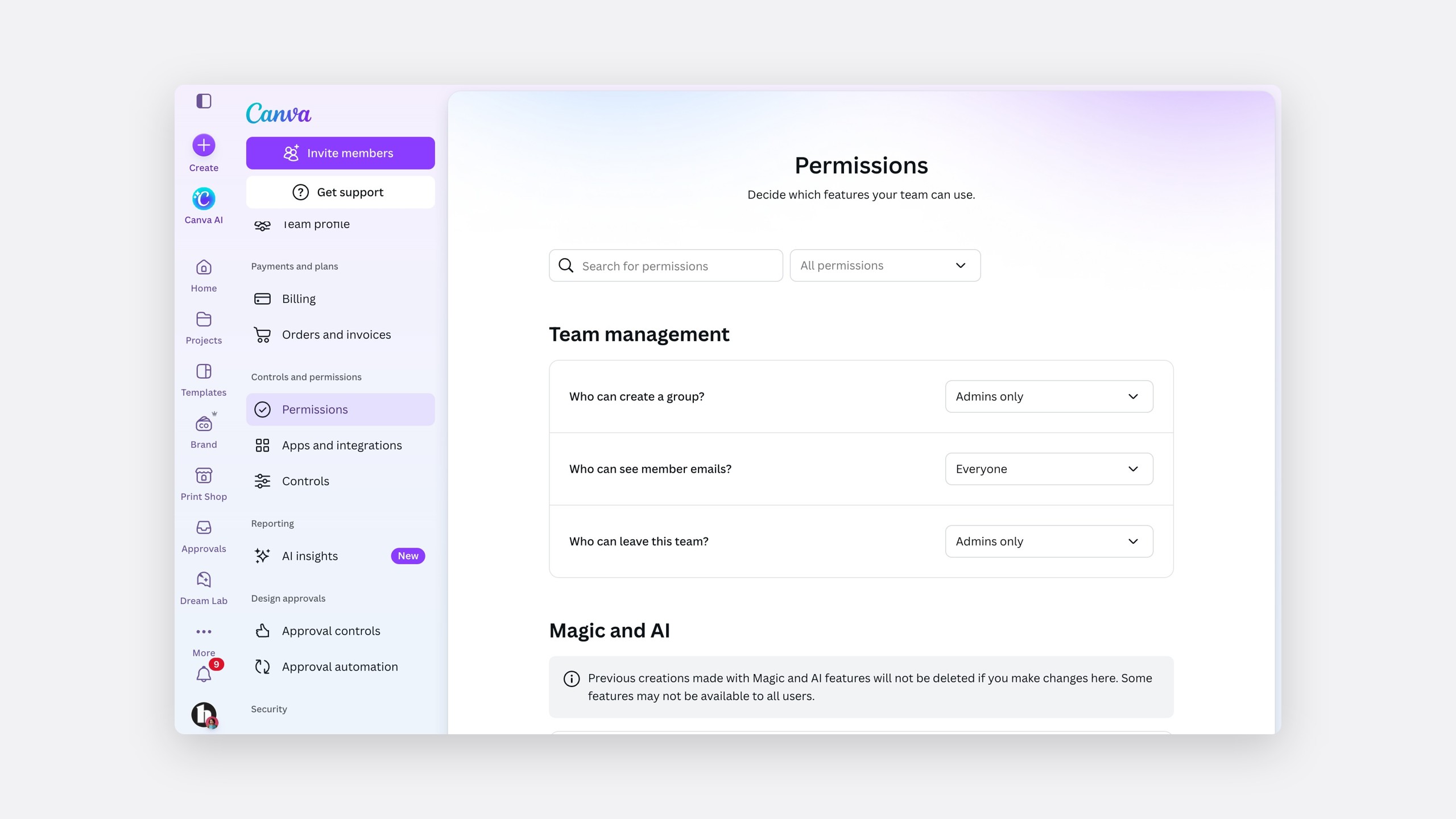
Describe every tool first
Every tool gets a factual line about what it does, then the admin chooses who has it. No warnings and no marketing.
The page also says up front that existing Magic creations will not be deleted.
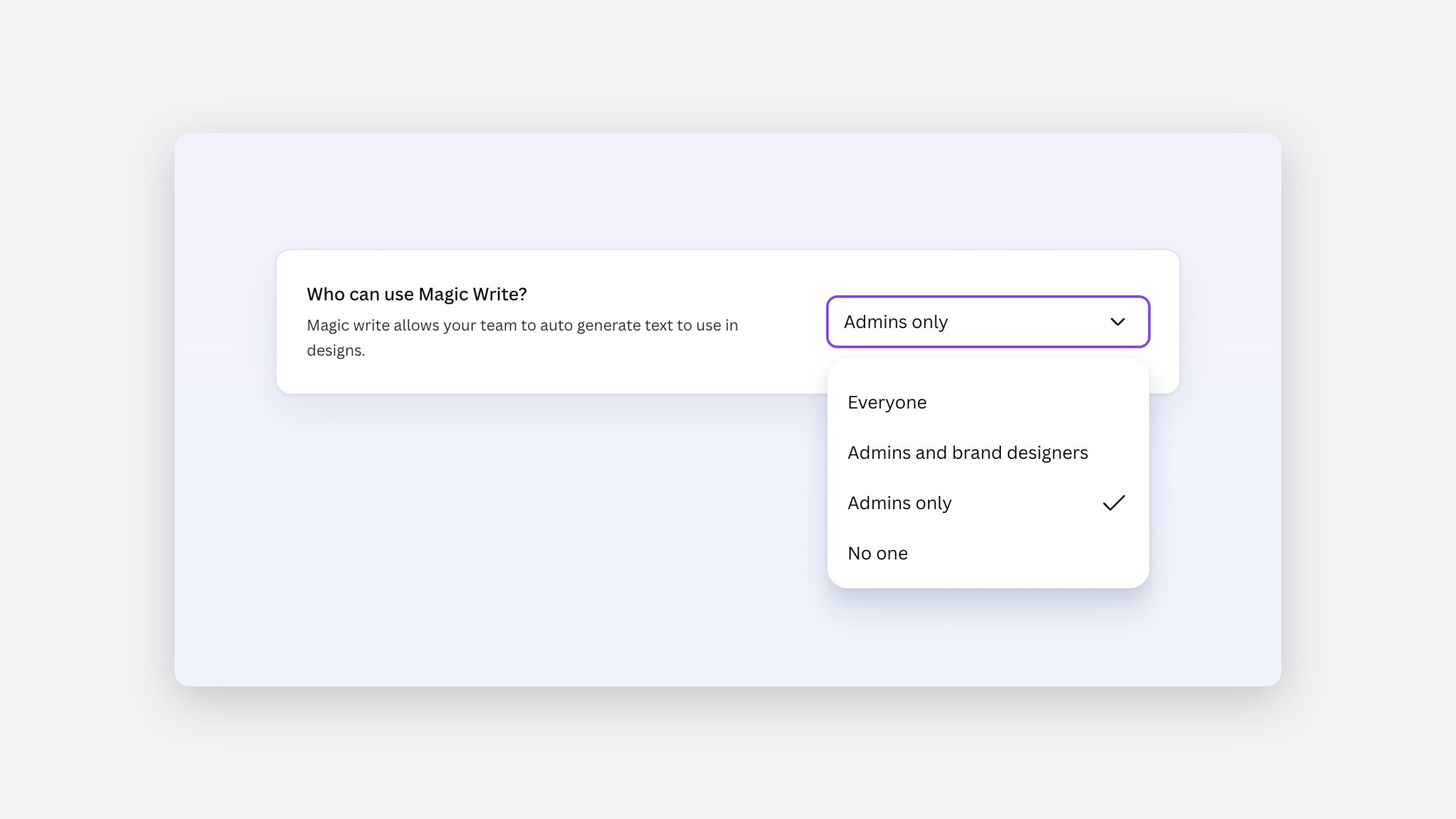
A set of choices, not a switch
By late 2023 the choice was a set of four, and education could give Magic to teachers and not students. Each plan has its own default.
Who can use Magic Write?
Each plan has its own default
Default
Teams
- Everyone · default
- Administrators and brand designers only
- Administrators only
- No one
CEDD and CEMS
Districts
- Everyone, including students
- Administrators and teachers only · default
- Administrators only
- No one
CEDS
Schools
- Everyone, including students
- Administrators and teachers only · default
- Administrators only
- No one
CEDU
Schools
- Everyone, including students
- Teachers only · default
- No one
Confirm the consequence, not the click
Instead of "are you sure?", the confirmation says who will lose access, and that their existing content stays.
Tell the member
Someone who hits a disabled tool learns that an administrator turned it off, that they can try it in a personal account, and who to ask.
It works everywhere admins work
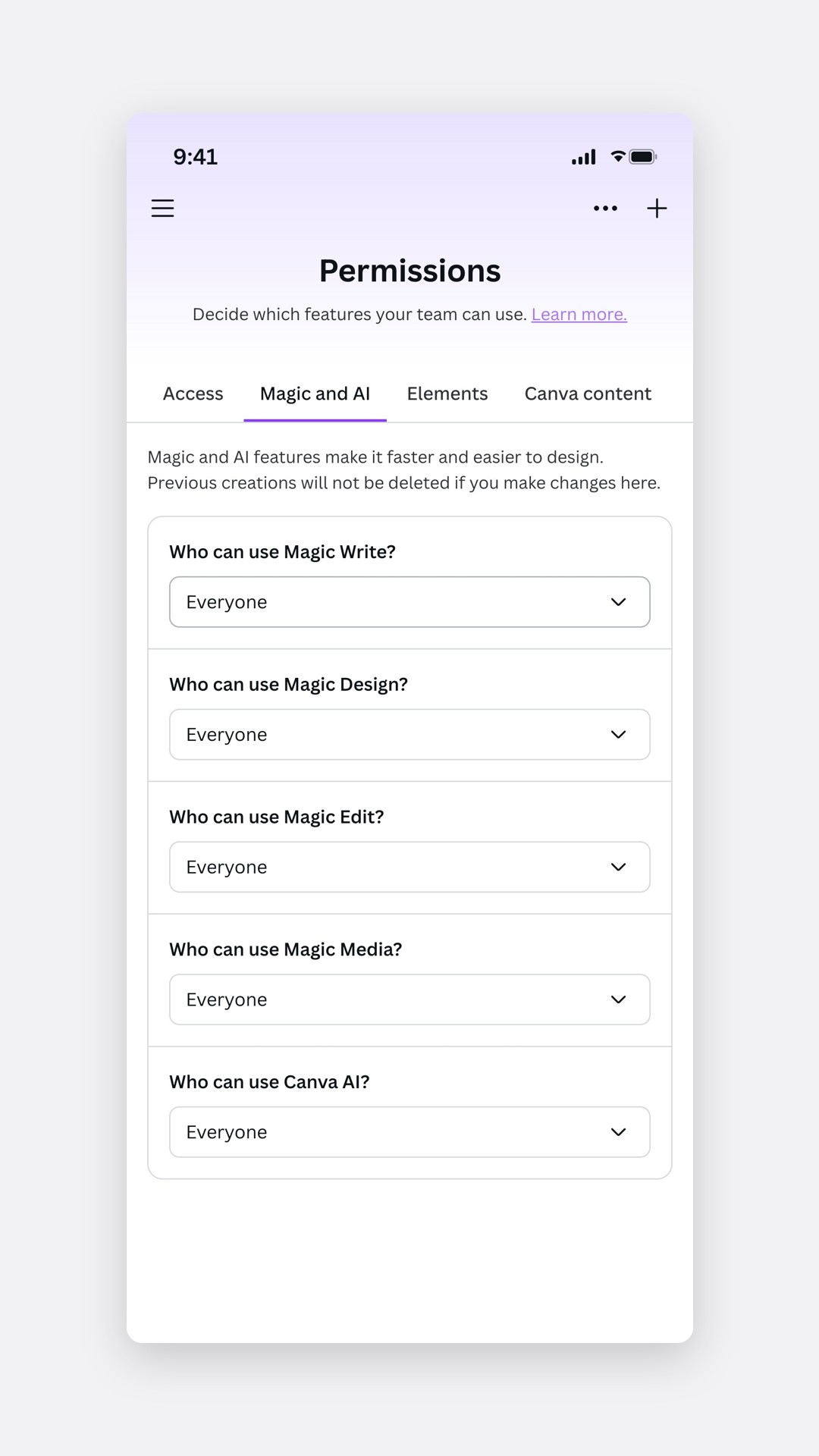
The same controls work on mobile.
Beyond Magic
A permission model that outlived the first tools
The same structure, a description and a set of choices, carried across the rest of Permissions.
From a switch to a choice of who
One searchable Permissions page
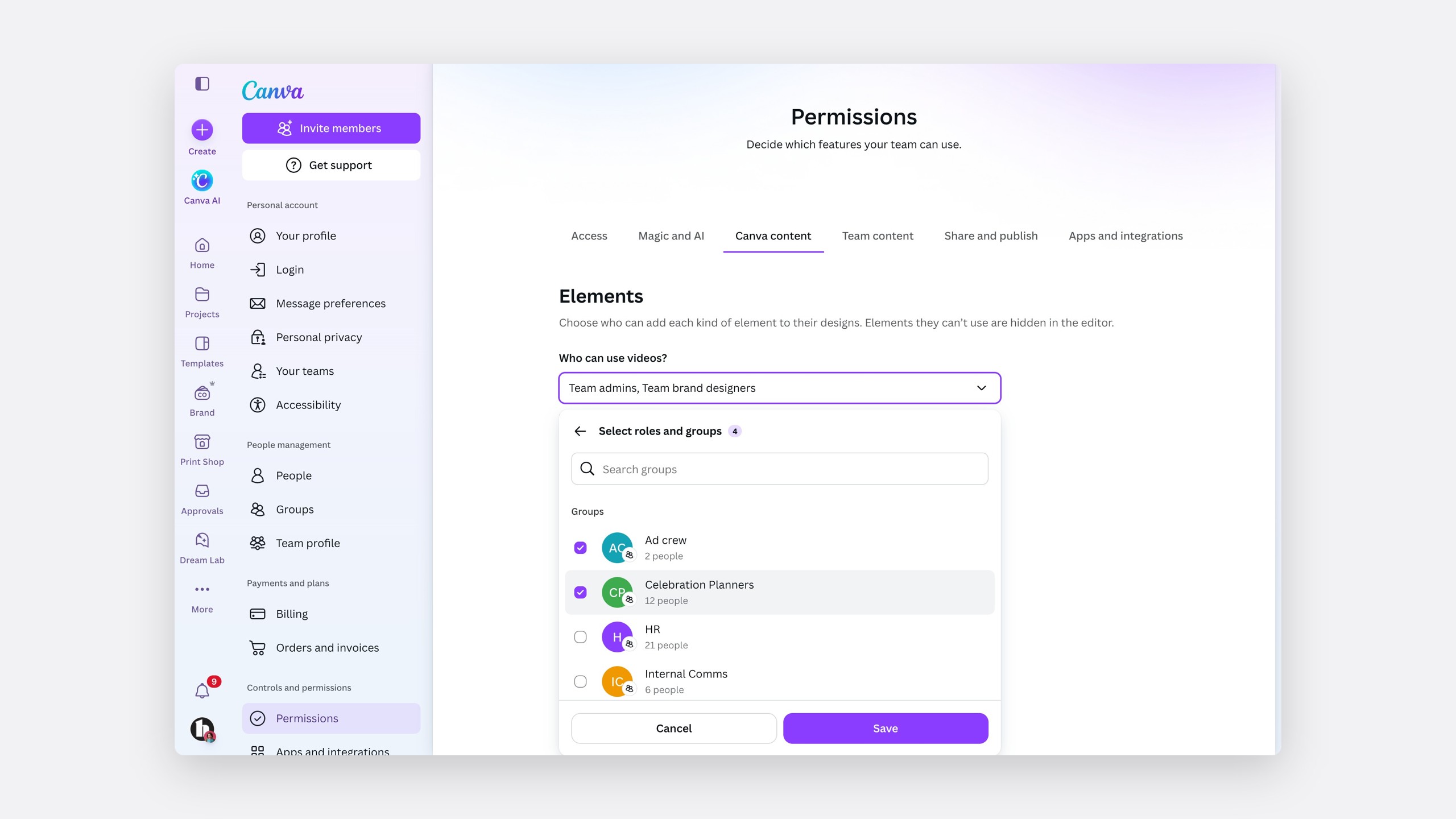
Granular control for enterprises
Large enterprises wanted to control which groups use which elements. I explored both directions, and we recommended element first.
Explored
Group first
Pick a group, then work through every element.
Recommended
Element first
Pick the content type, then decide who can use it.
The impact
Control that kept customers
By June 2024, more than 8,300 teams had enabled the controls, which helped keep customers like HubSpot and PwC. The districts that had asked first could now turn Magic Write off themselves and keep it for teachers.
- 8,300+
Teams had enabled the controls by June 2024
- 1.3M
Students across the eleven districts that asked first
- 4
Choices instead of one switch: everyone, administrators and brand designers, administrators only, or no one
Canva's help centre now documents the same model.
Reflection
Every later feature copies the first sentence
Offline access, publishing, brand, AI training opt-out and student safety controls all reused the same sentence and choices. I would keep the decision not to ship a silent switch: designing the member's side was slower, but it made the control feel fair.