Kinso — Unified Inbox
Product design, AI, Design systems
Kinso puts a working day in one place: a calendar, an AI that has read your messages, and one inbox for Gmail, Slack, WhatsApp, LinkedIn and Instagram. I designed across the product as Staff Product Designer, from the home screen to the Kin design system.
- Role
- Staff Product Designer
- Team
- Founders and engineering, through Owlry
- Timeline
- 2025–2026
- Platform
- Web and mobile
The problem
A working day is spread across five inboxes and a calendar
A founder or executive has five inboxes and a calendar in another tab. The work of the day is knowing which three of a hundred messages actually need them.
Gmail
For investors.
Slack
For the team.
For the people who matter most.
For recruiting.
For everything else.
A unified inbox is easy to draw and hard to make useful
Pulling five sources into one list is solved. Making it useful is not: a Slack thread and a WhatsApp voice note should not pretend to look alike.
Where Kinso started
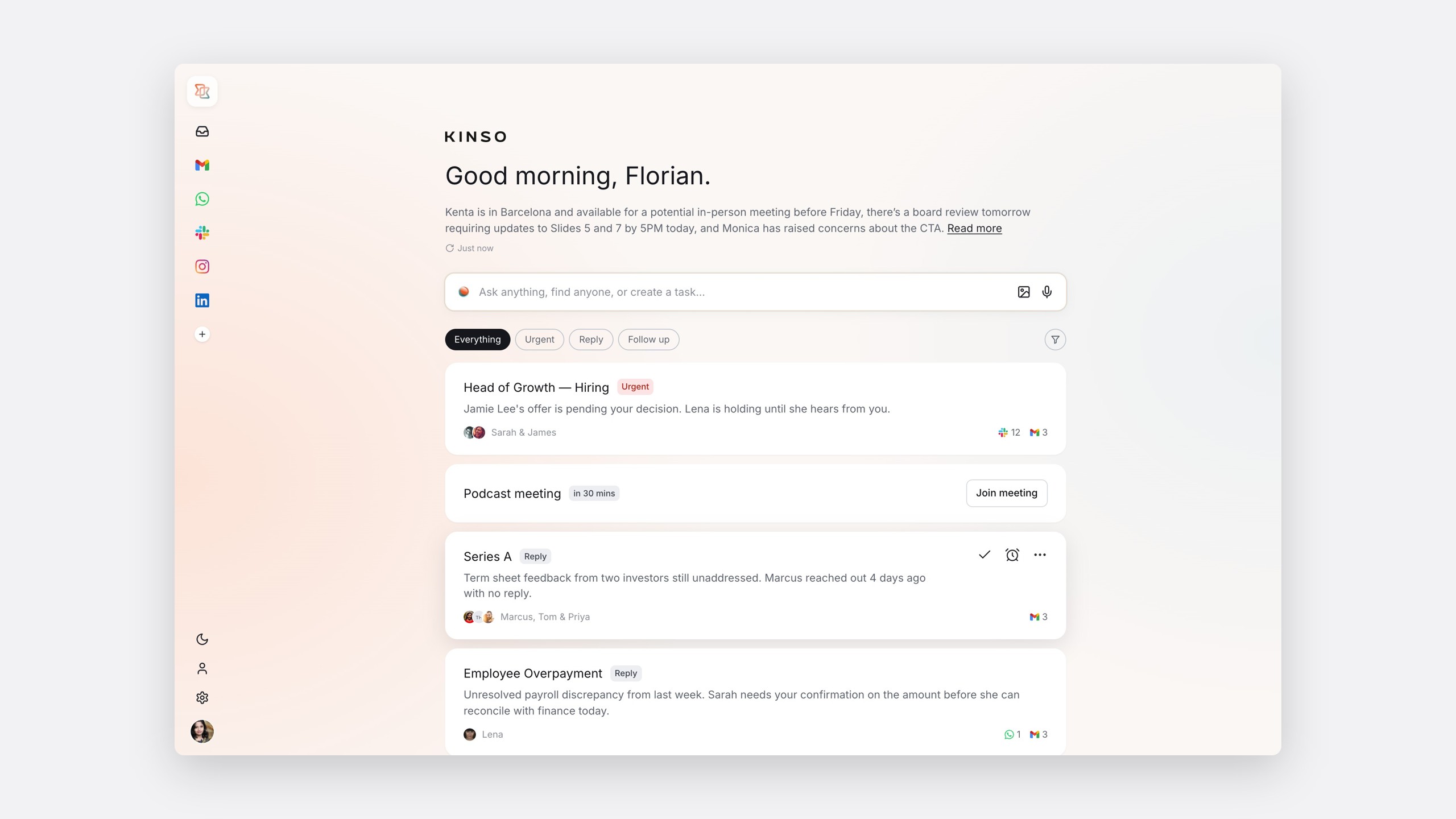
The first version opened on a greeting and a count: four new and nine active conversations. Expanding the briefing gave a long, accurate summary: one more thing to read before you could act.
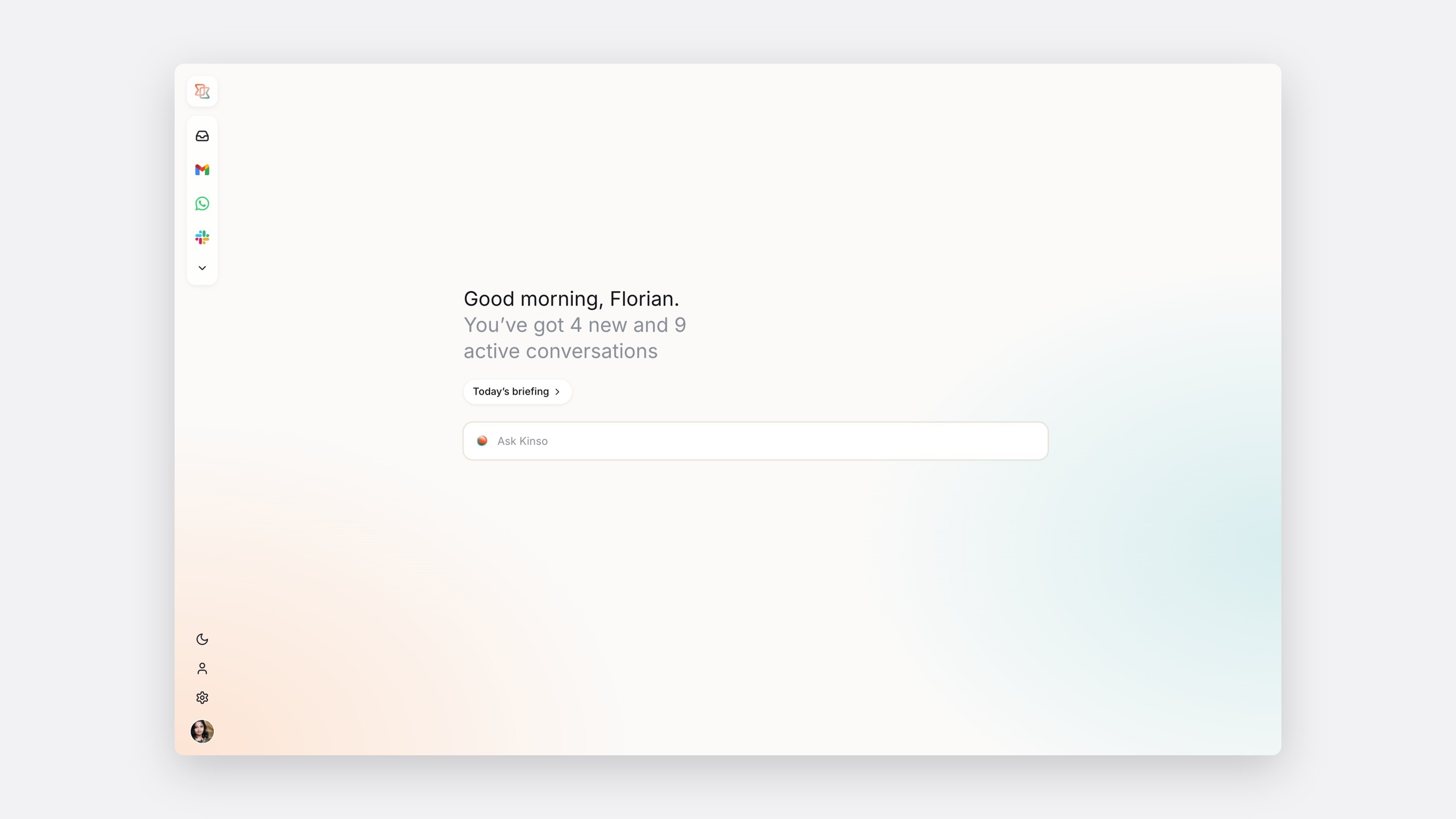
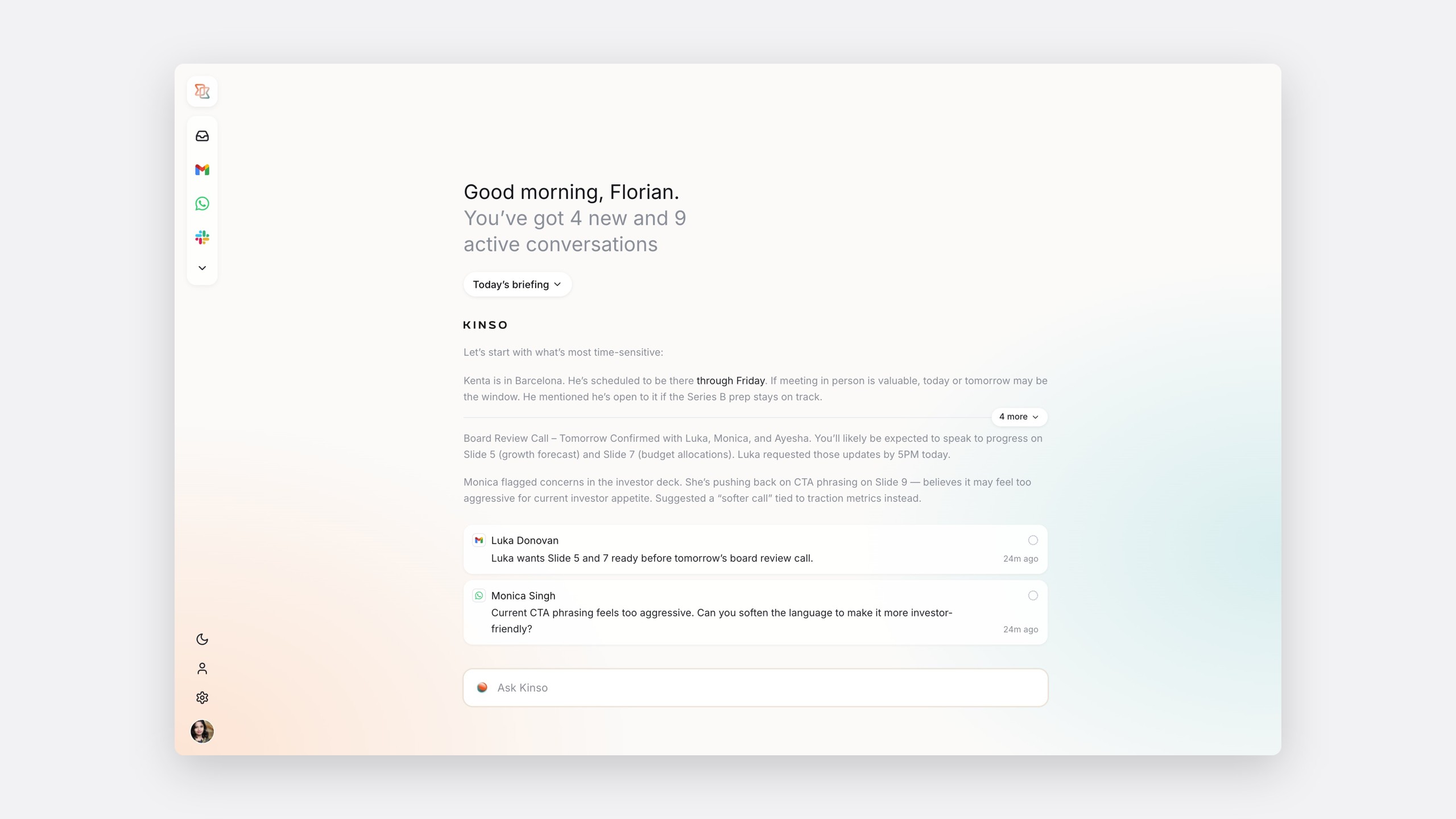
The original Kinso home screen
My role
Across the whole product, through Owlry
I led design across Kinso through Owlry, my design studio, including the AI panel and mobile. I worked with the Kinso team and engineering through to a Figma-to-code workflow, so what shipped matched the design.
The process
Write the day down first
Learning from the products people already use
What we learned
Superhuman
How far speed and keyboard flow can carry email, and how AI can schedule from a thread.
What we learned
Fyxer
Automatic categorisation, and drafts in your own voice.
What we learned
Beeper
How many chat networks can share one inbox and keep their identity.
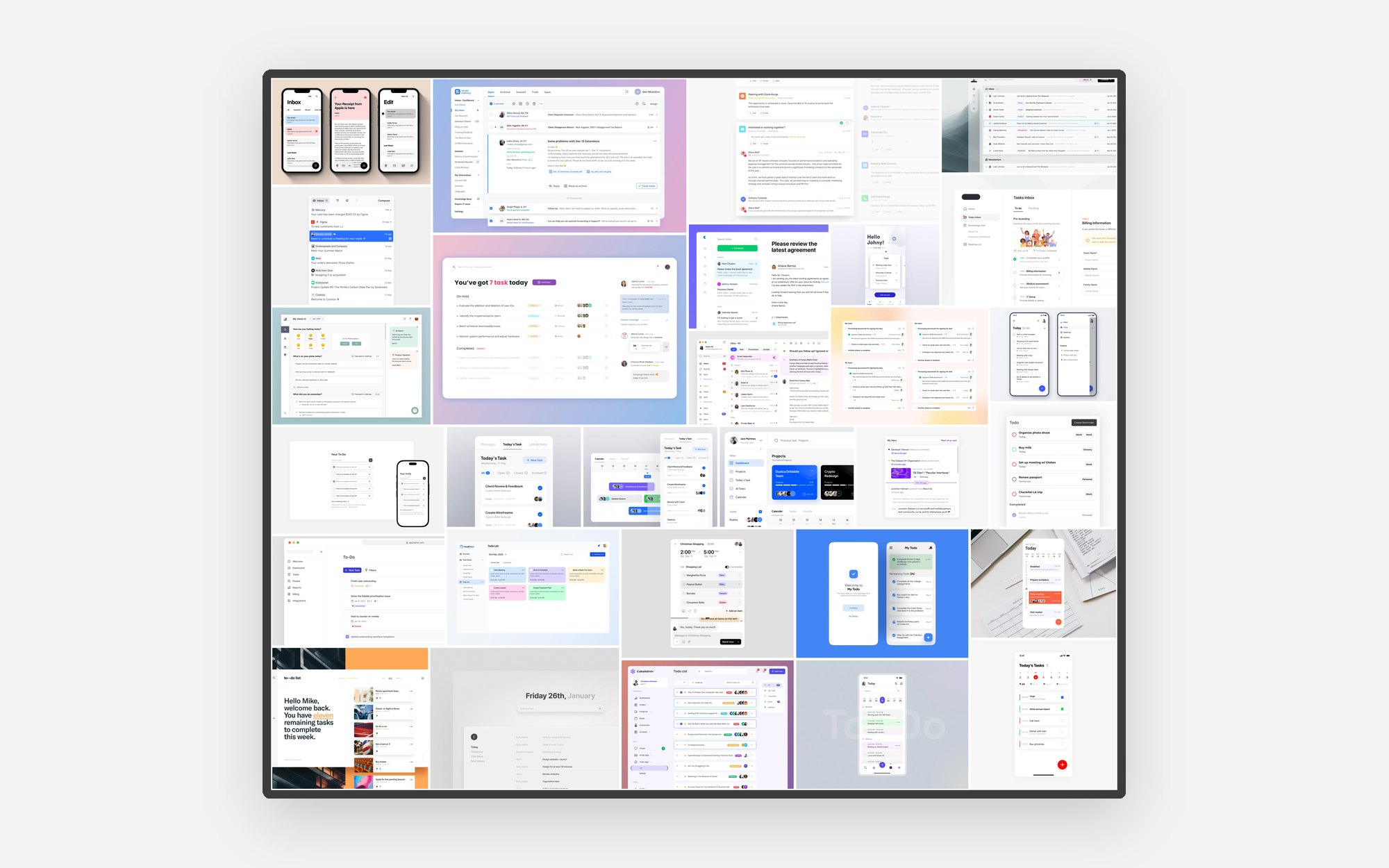
A mood board of calm, high-trust tools set the tone: Kinso had to feel quieter than the products it pulled from.
The day as a flow
The key flow
- ArriveOpen Kinso
- OrientWhat needs me today?
- ActHandle what matters
- EvolveA new signalGo deeperResolve
- Wind downEnd of day
- TomorrowA clean slate
And tomorrow starts again
The flow became the spine of home, inbox and calendar, and the filter for every later feature request.
Ideation
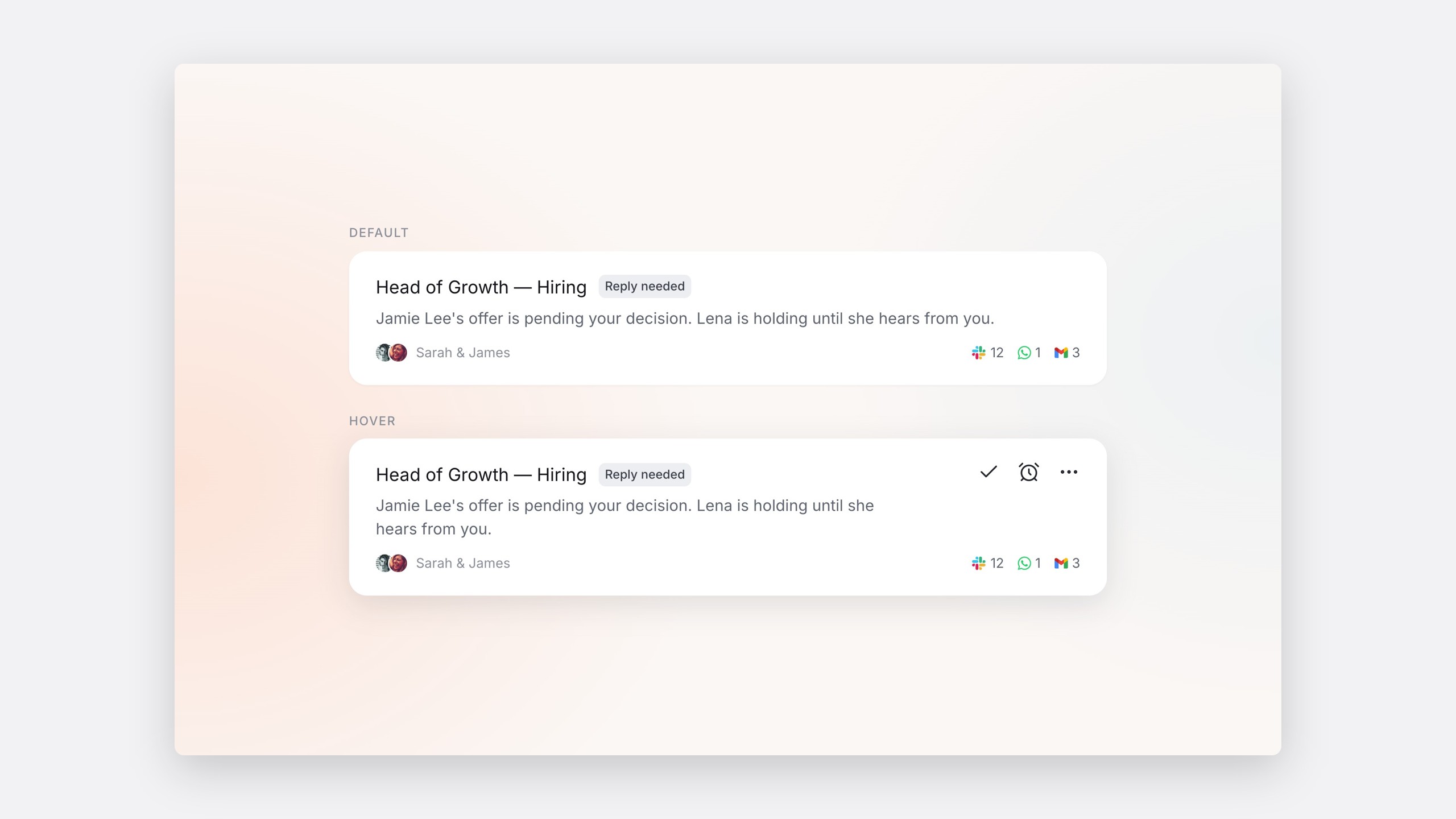
I explored home as cards that each carried one decision, such as an offer pending or a payroll discrepancy.
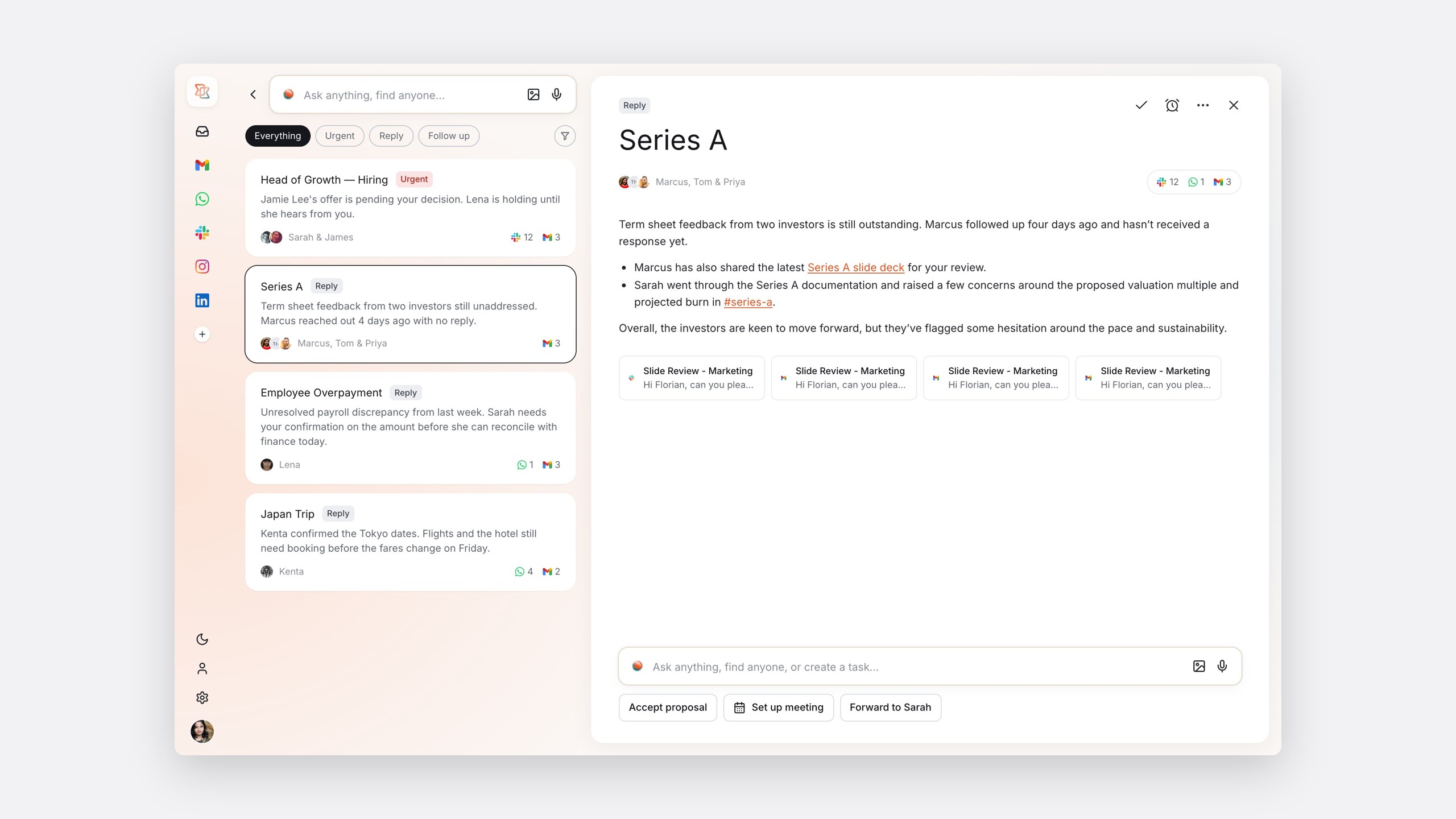
Home as a stack of conversation cards, each carrying one decision
The card became the unit of the product, with three next steps on hover: done, remind me later, or more.
The solution
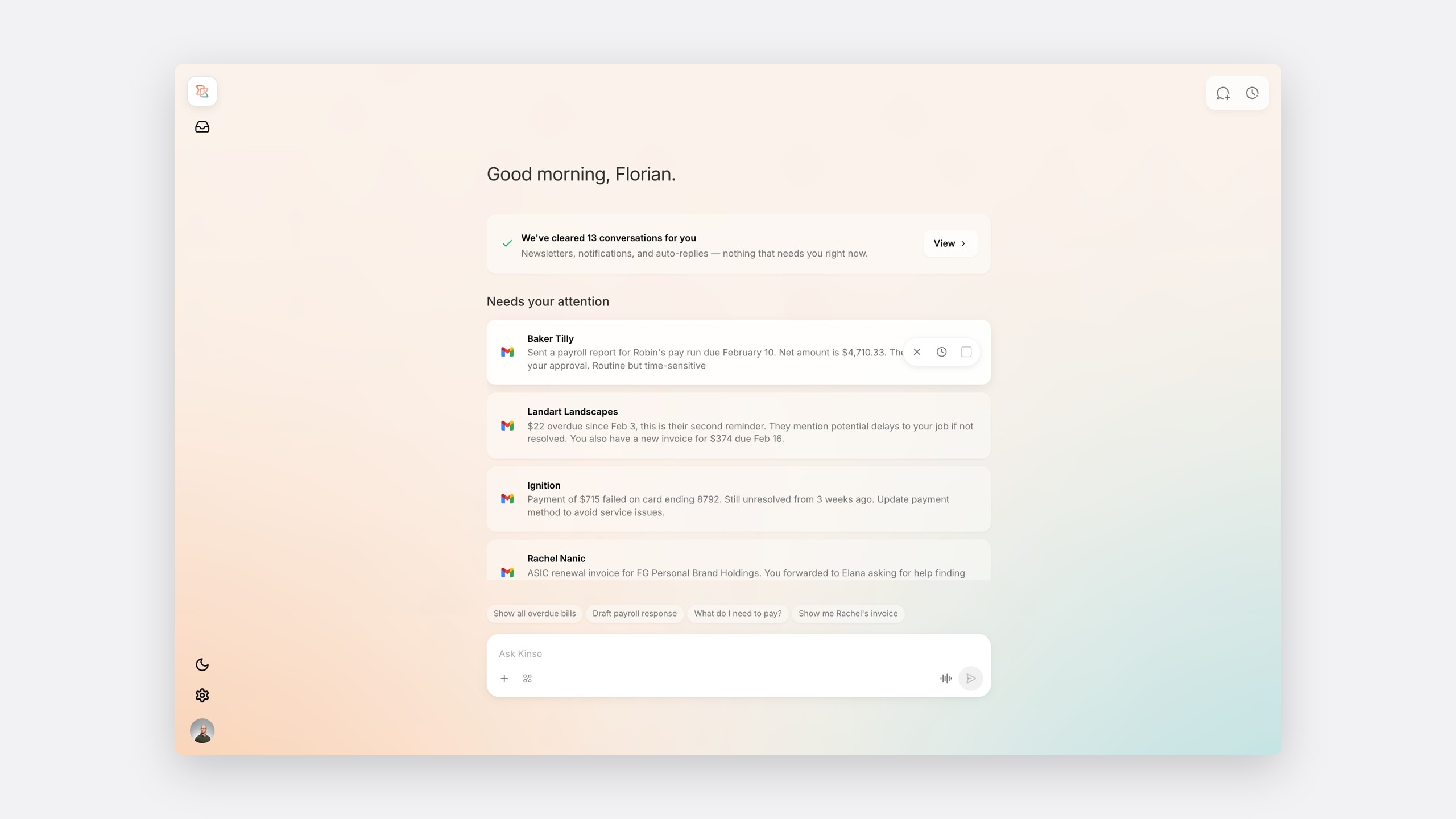
Orient, act, get back to work
Orient before you act
Home does not open on 40 unread messages. It opens on one sentence saying what has been cleared and what needs you.
What's been cleared
A later direction grouped the day by topic and by the action needed: a reply, a decision, or a promise.
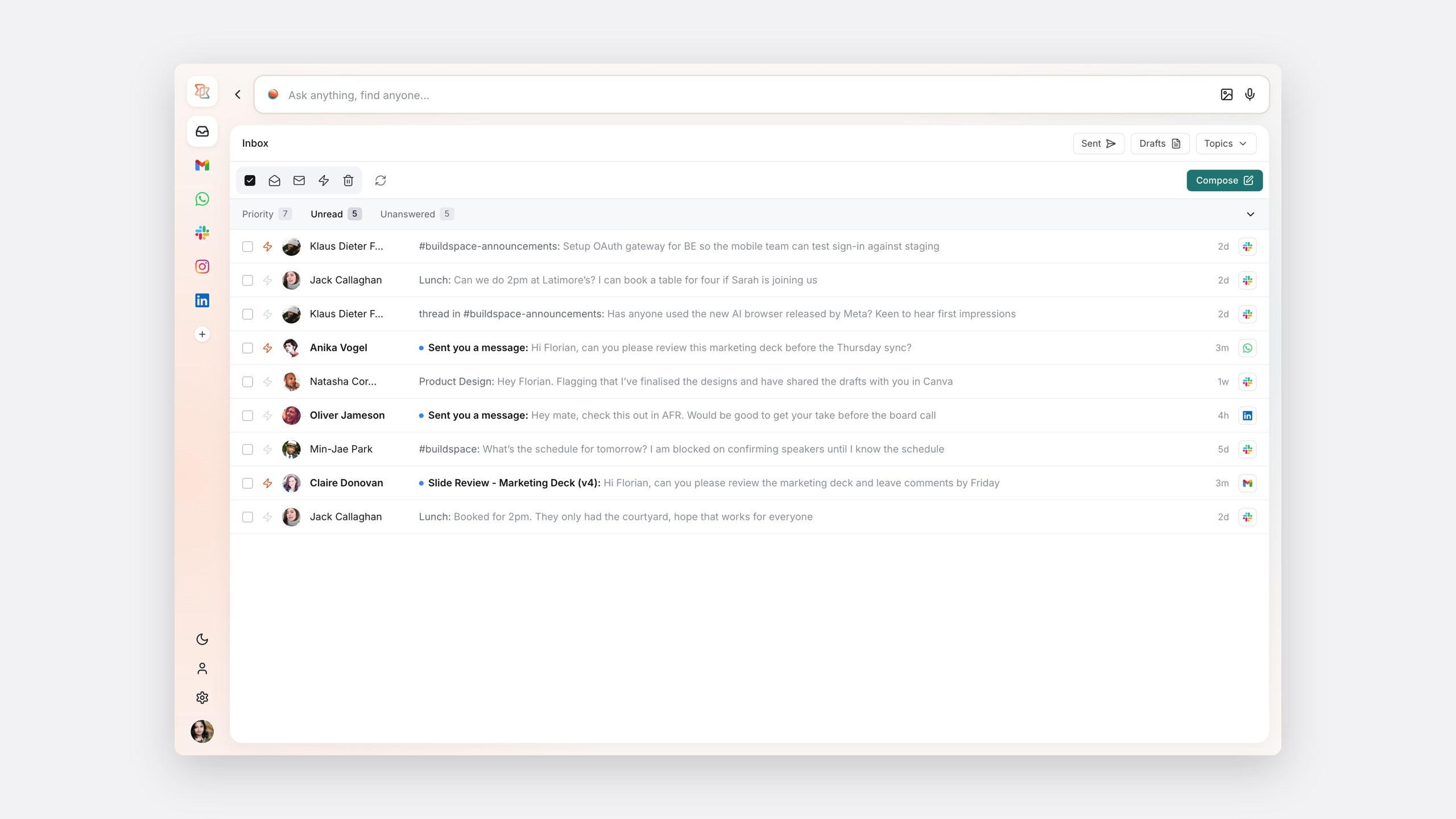
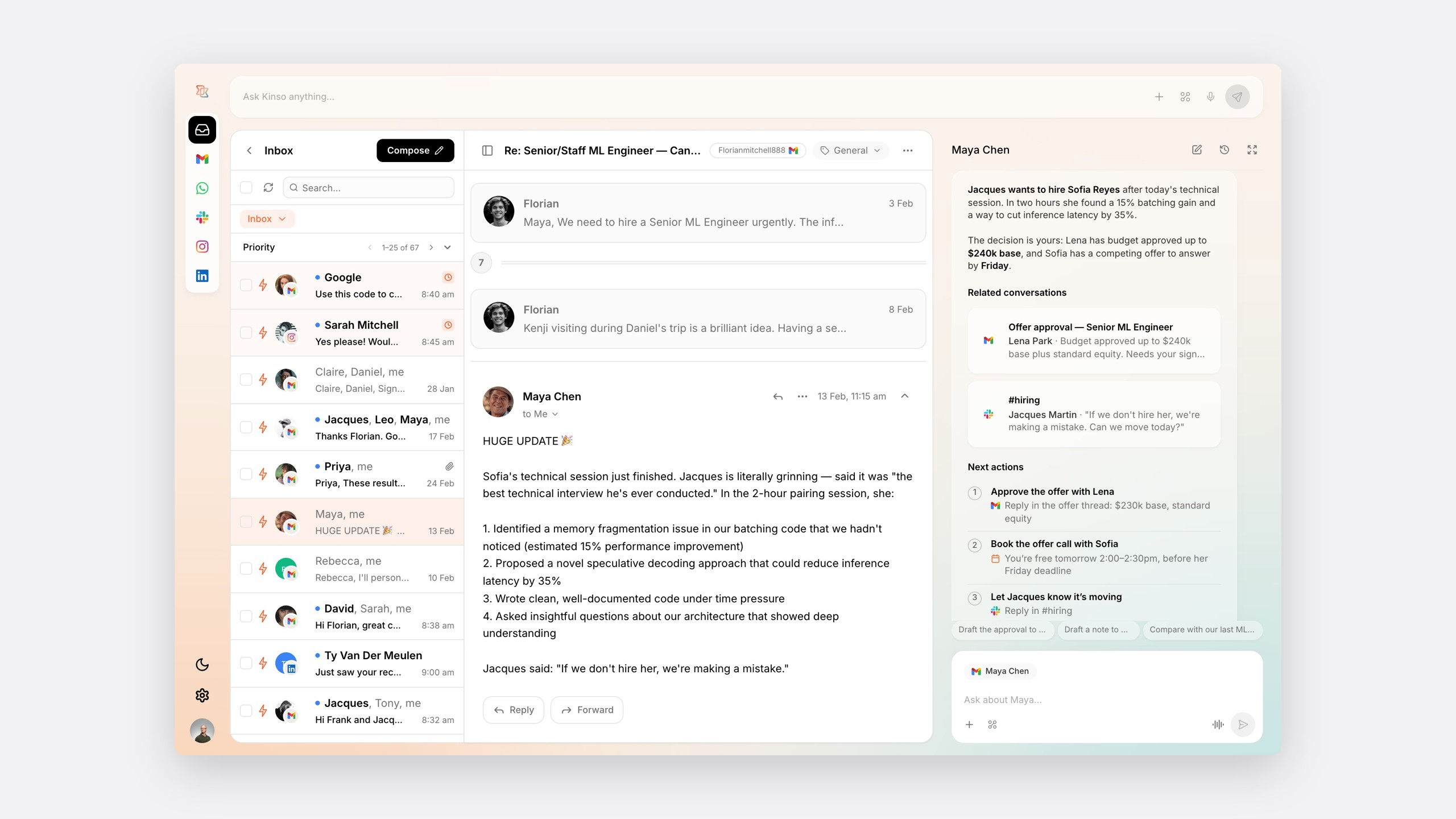
One inbox, five sources
The inbox groups by priority, unread, unanswered and everything else, and each conversation keeps its source icon.
One inbox, five sources
Threads with the context already read
Beside each conversation, Kinso's brief gives the decision in two sentences, related conversations from other sources, and the next actions.
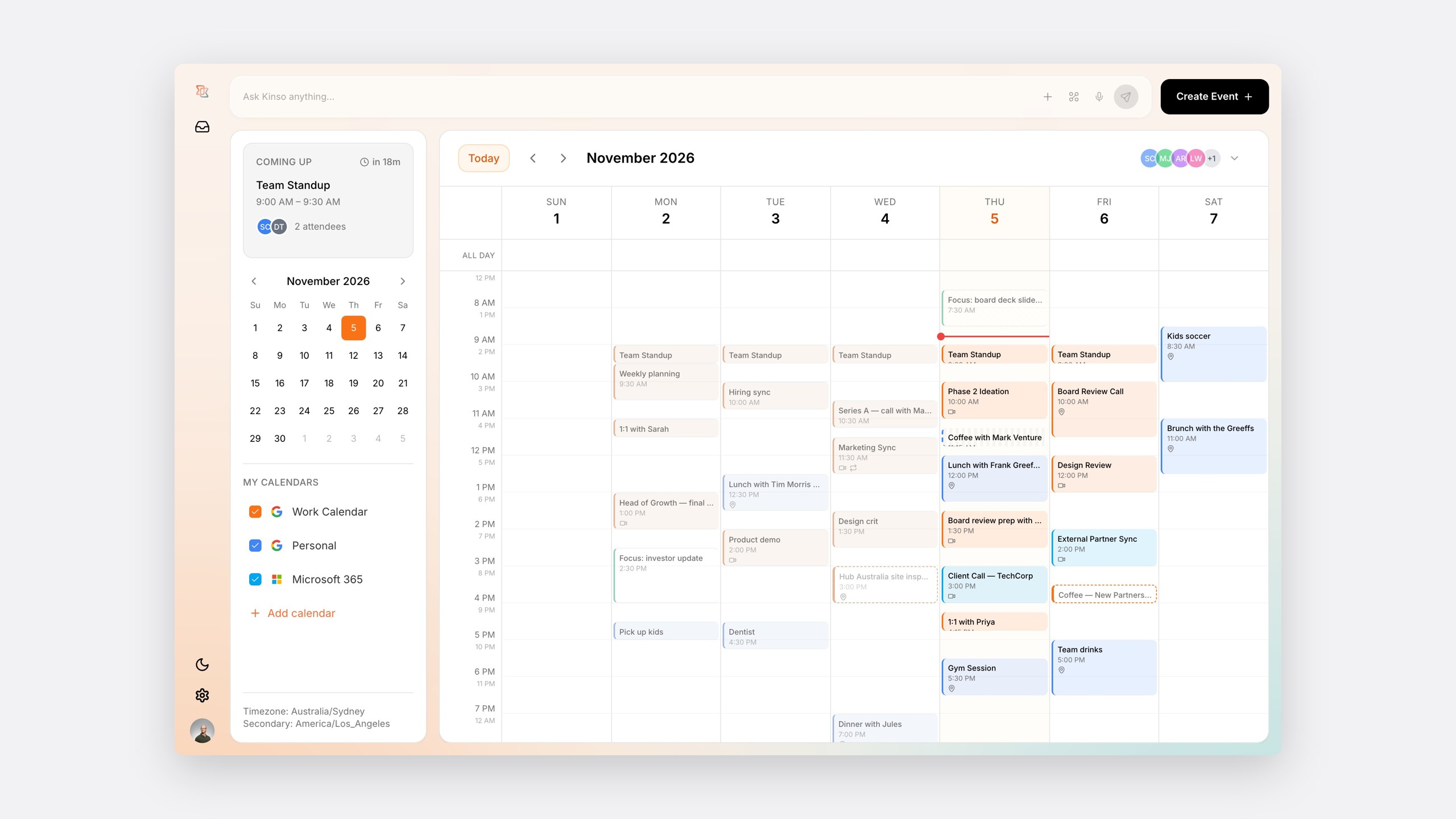
A calendar people trust
To move a real week in, the calendar needed the unglamorous details: dragging across days, time zones, several accounts, and editing one repeat without breaking the rest.
The design system
Kin: a calm frame around five products
Kinso shows other products' content, so its own interface had to recede. Kin uses warm neutrals, quiet surfaces and a few components that hold any kind of message.
Foundations
Every foundation is a token shared with engineering.
Primitive colours
Kin's colour primitives
Peace, optimism and energy.
- color-peach-01
#FCEBE5 - color-peach-02
#F4BDAA - color-peach-03
#F29A7C - color-peach-04
#F0784E - color-peach-05
#EE6535 - color-peach-06
#ED521E - color-peach-07
#C94417 - color-peach-08
#9F3512 - color-peach-09
#74270D - color-peach-10
#4A1908
Calm, clarity and balance.
- color-teal-01
#E5F3F4 - color-teal-02
#CBE7EA - color-teal-03
#A7D5D9 - color-teal-04
#7DBEC4 - color-teal-05
#5AA5AC - color-teal-06
#3D8F96 - color-teal-07
#32777D - color-teal-08
#285F64 - color-teal-09
#1D474A - color-teal-10
#132F31
Solid shades of UI.
- color-grey-01
#F3F4F7 - color-grey-02
#E7E9EF - color-grey-03
#D6D9E0 - color-grey-04
#BCC2CC - color-grey-05
#8A8F99 - color-grey-06
#606671 - color-grey-07
#3E424C - color-grey-08
#24262E - color-grey-09
#1D1F26 - color-grey-10
#16171D
Feedback colours
For buttons, menu items and pills
Positive
Successes.
feedback-positive-bg#017F0A
feedback-positive-fg#FFFFFF
Info
General information.
feedback-info-bg#3D8F96
feedback-info-fg#FFFFFF
Warn
Cautions.
feedback-warn-bg#AC5B01
feedback-warn-fg#FFFFFF
Critical
Errors and problems.
feedback-critical-bg#D51D33
feedback-critical-fg#FFFFFF
Hint
Hints and assistance.
feedback-hint-bg#ED521E
feedback-hint-fg#FFFFFF
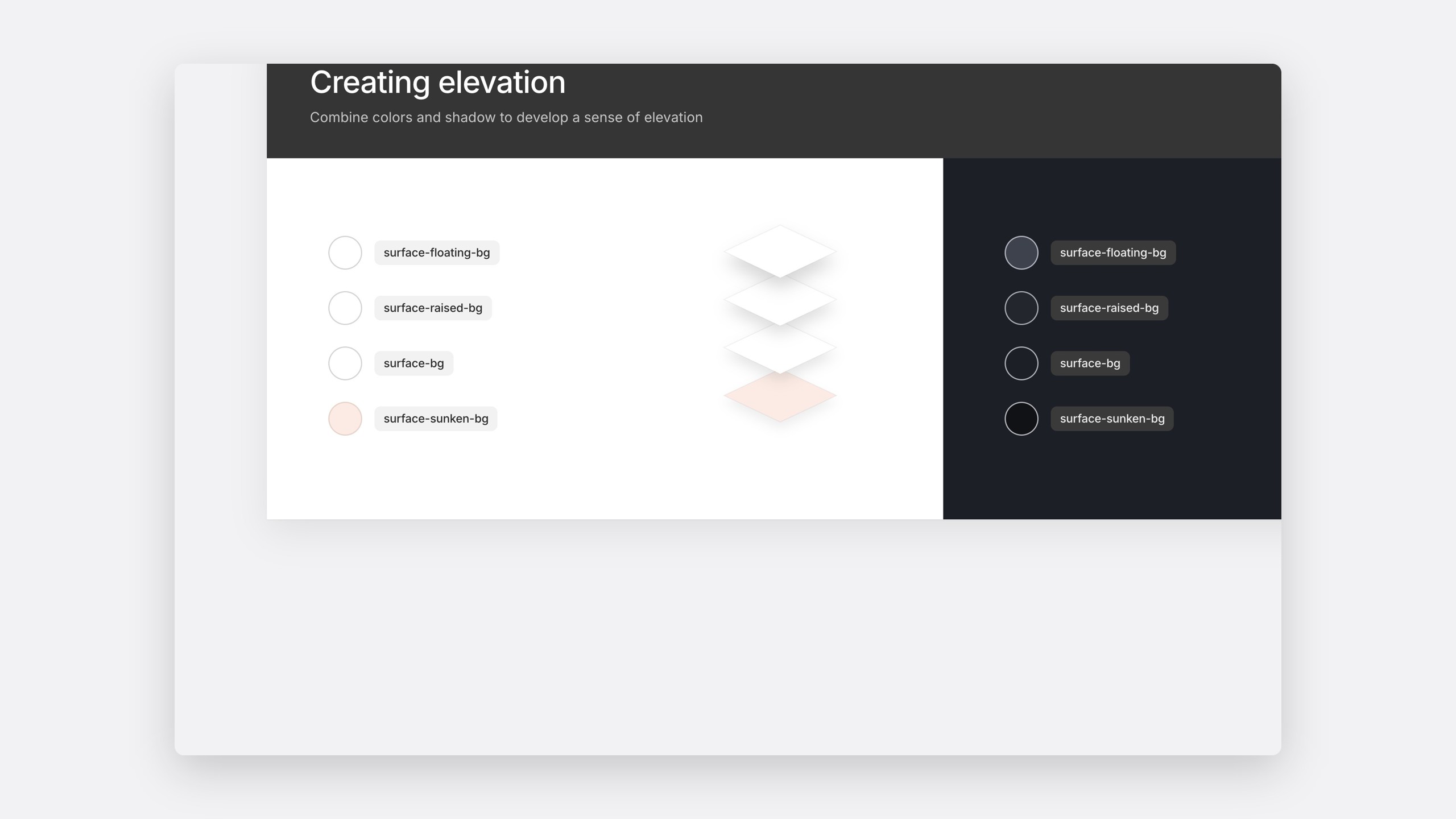
Elevation
Colour and shadow create elevation
surface-floating-bgsurface-raised-bgsurface-bgsurface-sunken-bg
surface-floating-bgsurface-raised-bgsurface-bgsurface-sunken-bg
Spacing
One unit, where 1u is 8px
space-00000uspace-02520.25uspace-05040.5uspace-10081uspace-150121.5uspace-200162uspace-300243uspace-400324uspace-600486uspace-800648uspace-12009612u
Figma to code
Tokens and components in Figma mapped directly to code.
The impact
One frame, one library, one day
Home, inbox and calendar were all designed on Kin, giving engineering one component library and the product one calm frame. The flow gave the team a shared way to decide what to build, and what not to.
Reflection
The flow kept the product honest
Every feature request had to belong to a step of the day. If it didn't, it didn't belong in Kinso yet. Next time, I would test the flow with real users earlier.
Through Owlry